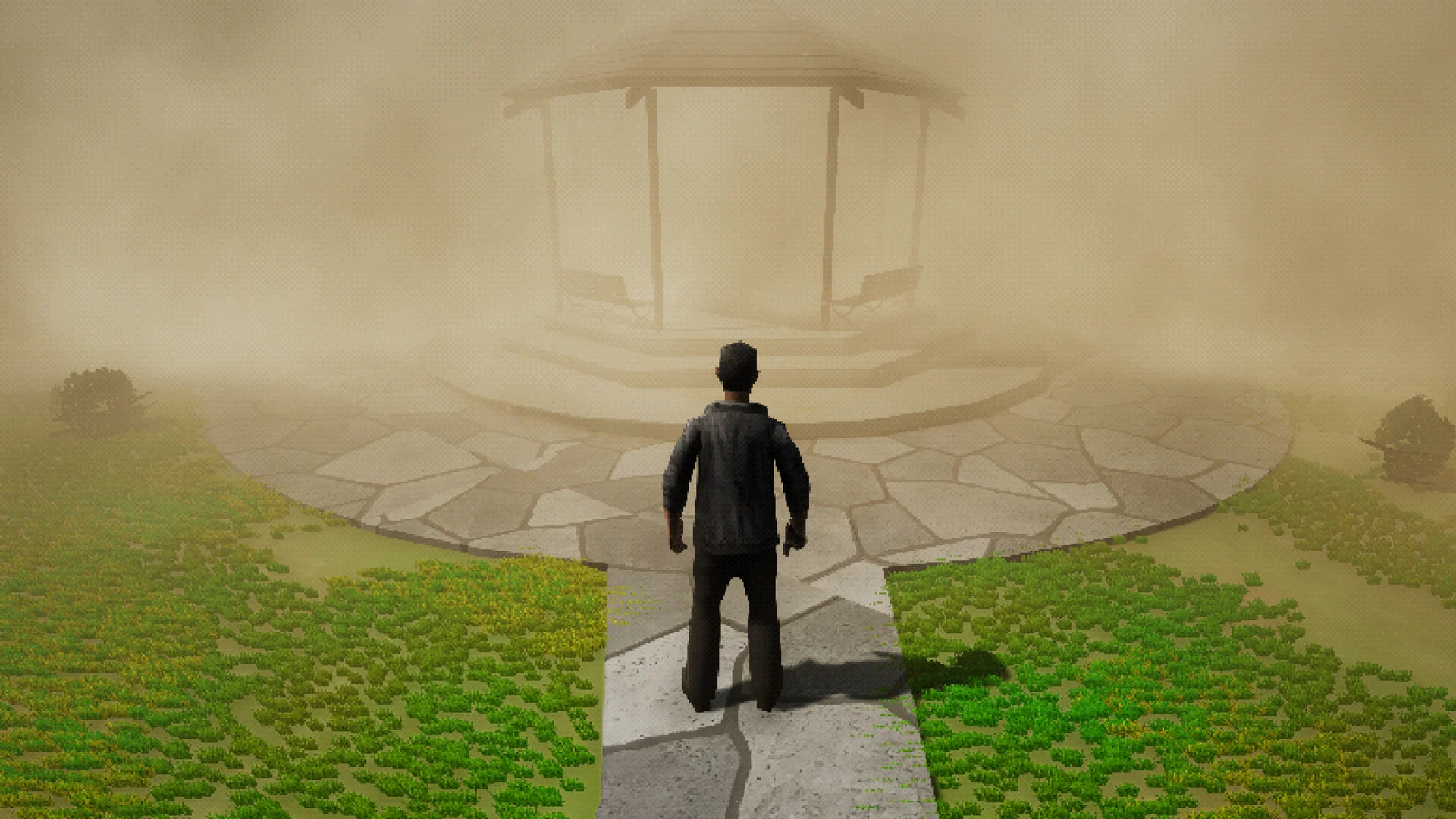
- Sarab system requirements: Minimum 8 GB RAM, GTX 750 Ti / R7 265 GPU, 6 GB storage
- Recommended specs: 16 GB RAM, GTX 1060 / RX 580 for a smooth 1080p experience
- Platform: PC via Steam, planned release April 1, 2027
- Languages: English and Arabic interface and subtitles confirmed
- PSX-style visuals keep the game accessible on modest hardware
Sarab System Requirements Overview
Sarab (AL-SARAB) is a PSX-style psychological horror game developed by Zayed Gaming, set in a distorted Gulf-region city and planned for release on Steam on April 1, 2027. Because the game embraces a retro low-poly aesthetic, the Sarab system requirements are refreshingly modest — but the developer has listed surprisingly generous RAM targets, which we break down below.
This page covers AL-SARAB by Zayed Gaming (planned 2027 Steam release), not the 2016 game Sarab: Duji Tower. Always confirm the store page before comparing specs.
Here is the full spec comparison based on the official Steam listing:
| Category | Minimum | Recommended |
|---|---|---|
| OS | Windows 10 64-bit | Windows 10 / 11 64-bit |
| Processor | Entry-level quad-core CPU (modern i3-class or better) | Mid-range quad-core CPU (i5-class or better) |
| Memory | 8 GB RAM | 16 GB RAM |
| Graphics | GTX 750 Ti / R7 265 | GTX 1060 / RX 580 |
| Storage | 6 GB available space | 6 GB (SSD advised) |
| Mode | Single-player | Single-player |
| Languages | English & Arabic (interface/subtitles) | English & Arabic (interface/subtitles) |
Although PSX-style visuals are lightweight, the developer has set 8 GB minimum RAM — likely to accommodate streaming the urban environments and lighting effects smoothly. Meeting the RAM requirement matters more here than GPU horsepower.
Minimum vs Recommended: What to Expect
The gap between minimum and recommended specs in Sarab mostly affects resolution, load times, and frame-rate stability rather than visual features, since the retro art style is fixed by design.
Minimum Spec Experience
- 1080p at stable frame rates
- Shorter draw-distance comfort
- GTX 750 Ti / R7 265 baseline
- Fine for story-focused players
Recommended Spec Experience
- Consistent 60 FPS at 1080p+
- Faster level transitions
- GTX 1060 / RX 580 headroom
- Best for streamers and recording
Future-Proof Setup
- 16 GB RAM covers recommended
- SSD for quick loads
- Handles post-launch patches
- Safe margin for 1440p play
| Hardware Tier | GPU | RAM | Expected Experience |
|---|---|---|---|
| Entry (2014-era) | GTX 750 Ti / R7 265 | 8 GB | Meets minimum, playable |
| Mid (2016-era) | GTX 1060 / RX 580 | 16 GB | Meets recommended |
| Modern (2020+) | GTX 1660 / RX 6600 or better | 16 GB+ | Comfortable headroom |
If your machine runs modern indie horror comfortably, you almost certainly exceed the Sarab system requirements. The 6 GB install size also makes it easy to fit on any drive.
Step-by-Step: Check If Your PC Can Run Sarab
Follow this quick process to verify compatibility before the April 1, 2027 release date.
Check Your OS Version
Confirm you run a 64-bit version of Windows 10 or Windows 11. Open Settings > System > About to verify the "64-bit operating system" label.
Verify RAM (8 GB Minimum)
In the same About screen, check Installed RAM. You need at least 8 GB for minimum settings and 16 GB for the recommended tier.
Identify Your GPU
Open Device Manager > Display adapters, or use DirectX Diagnostic (dxdiag). Compare your card against the GTX 750 Ti / R7 265 minimum or GTX 1060 / RX 580 recommendation.
Reserve Storage Space
Ensure at least 6 GB of free space — ideally on an SSD — for the install and any post-launch patches.
Review the Steam Page
Before purchase, revisit the official AL-SARAB Steam page in case the developer revises requirements ahead of launch.
Steam currently confirms English and Arabic interface and subtitles only. Other languages are listed as unsupported, so plan accordingly if you need additional localization.
Performance Tips and Launch Preparation
Even lightweight horror games benefit from a few preparation steps, especially on machines sitting near the minimum line.
| Tip | Benefit | Effort |
|---|---|---|
| Install on an SSD | Faster loading, fewer stutters | Low |
| Close background apps | Frees RAM toward the 8/16 GB targets | Low |
| Update GPU drivers | Better stability on day one | Low |
| Cap frame rate at 60 | Smoother pacing in tension scenes | Low |
| Use headphones | Audio cues matter in psychological horror | None |
Since Sarab launches April 1, 2027, wishlist it on Steam and recheck the requirements section a few weeks before release — developers sometimes adjust final specs during optimization.
Pre-Purchase Checklist:
- Windows 10/11 64-bit confirmed
- 8 GB RAM installed (16 GB recommended)
- GPU meets GTX 750 Ti / R7 265 baseline
- 6 GB free storage on SSD
- Steam wishlist added for release updates
FAQ
Q: What are the Sarab system requirements for minimum settings?
The minimum specs call for Windows 10 64-bit, 8 GB RAM, a GTX 750 Ti or R7 265 graphics card, and roughly 6 GB of available storage space.
Q: Can I run Sarab on an integrated GPU?
The official requirements list the GTX 750 Ti / R7 265 as the minimum dedicated GPU. Modern integrated graphics may run the PSX-style visuals, but performance is not guaranteed until the developer confirms it.
Q: How much storage does Sarab need?
The Steam page lists approximately 6 GB of required storage. An SSD is recommended for faster loading but is not mandatory.
Q: Is Sarab available on consoles or only Steam?
Currently, the game is announced for PC via Steam with a planned release date of April 1, 2027. No console versions have been confirmed by the developer.